qqbetwin Casino & Sportsbook Mobile App
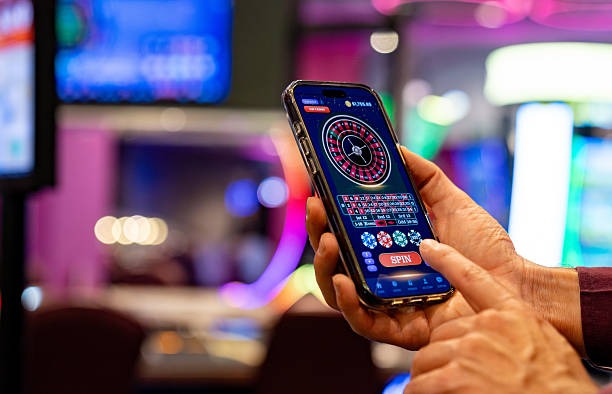
Mobile gaming has become the primary way users access online entertainment platforms across Southeast Asia. qqbetwin provides multiple pathways to access our live-dealer tables, sportsbook, and slot games from your phone—whether you prefer a native Android app, iOS browser access, or our responsive web platform. Each route is optimized for speed and security, so you can deposit via DANA, e-wallet, mobile banking, local payment, online payment, or direct bank transfer without interruption.
- Installin
- DownloadAPK
- LoginOTP Verification
- Update
Our mobile-first design means your account, live-dealer experience, and bet slip all function seamlessly on smaller screens. You can watch a Liga 1 match in real time, place a bet, and switch to a blackjack table—all from the same app or browser session. We prioritize fast load times and consistent performance across devices to ensure uninterrupted access to our platform.
This guide explains how to install qqbetwin on Android or iOS, what to expect from the app experience, and how to resolve common installation issues. Whether you are in Jakarta, Surabaya, Bandung, Medan, or Semarang, the installation process is the same across all supported regions.
Installation and Access Options for qqbetwin
We offer three primary ways to access qqbetwin: Android APK download, iOS Safari browser, or our web platform on any modern device. The Android APK is a direct installation file that gives you the native app experience with offline caching and push notifications. iOS users can access qqbetwin through their Safari browser without needing to download from an app store. Our web platform works on any device and requires no installation—simply visit our site and log in.
How to Install qqbetwin on Android
- Download the APK: Visit our website from your Android device and select the Android APK download link; the file will save to your device's Downloads folder.
- Enable Unknown Sources: Go to Settings → Security and enable "Unknown Sources" to allow installation from files outside the Google Play Store.
- Install the App: Open your file manager, navigate to Downloads, tap the qqbetwin APK file, and follow the on-screen prompts to install.
- Open and Register: Once installed, open the qqbetwin app, create your account or log in, and begin accessing our live-dealer tables and sportsbook.
The entire process takes fewer than five minutes. After installation, you can immediately deposit using DANA, e-wallet, mobile banking, local payment, online payment, e-wallet, mobile banking, local payment, online payment, or e-wallet. Your account and balance are synchronized across all devices, so you can switch between the app and browser without losing your session.

iOS Browser Access for qqbetwin
iOS users do not need to install an app. Open Safari on your iPhone or iPad, navigate to our website, and log in or register directly in your browser. Our responsive design adapts to iPhone screens and provides the same features as the Android app—live-dealer tables, sportsbook, and slots all run smoothly through Safari.
iOS users benefit from the same account synchronization as Android users. Your balance, bet history, and preferences are available across all devices. You can use Face ID or Touch ID to secure your session on iOS devices.
App vs. Browser: Strengths of Each qqbetwin Access Method
The Android app offers offline caching, which stores some game assets locally so the app loads faster even on slower connections. The app also sends push notifications for live-event updates, withdrawal confirmations, and account alerts. You can customize notification preferences in your app settings. The app provides a dedicated home screen icon, making qqbetwin easier to access repeatedly.
The browser experience requires no installation and works on any device—Android, iOS, Windows, or Mac. Your browser session is always up-to-date with the latest version of our platform. Some users prefer the browser for privacy reasons, as the app stores more data locally. The browser is also easier to use on tablets or larger screens. Both methods support the same deposit methods, withdrawal speeds, and live-dealer table limits, so your choice is purely about convenience and personal preference.

Device Compatibility for qqbetwin Mobile
The Android app requires Android 7.0 or later. Most devices released in the past seven years support this version. If your Android device is older, you can still access qqbetwin through your browser. iOS users require iOS 12.0 or later, which covers all iPhones and iPads from approximately 2014 onwards. Our web platform works on any device with a modern browser, including older or less-powerful devices, because it places minimal load on your hardware.
Resolving Common qqbetwin Installation Issues
If your Android device shows "Installation blocked by Play Protect," disable Play Protect temporarily in your Google Play Store settings, then retry the installation. If you see "Certificate not trusted," your device's security settings may be blocking the APK file. Verify that you have downloaded the file from our official website and that "Unknown Sources" is enabled in your Security settings. If the app crashes immediately after opening, uninstall it, clear your cache, and reinstall the latest APK from our website. If installation fails due to insufficient storage, free up space on your device by deleting unused apps or files.
If you experience persistent issues, contact our support team. We operate in English and Indonesian and can guide you through troubleshooting steps specific to your device.
- Android requirement
- Android 7.0 or later for the native app; browser works on older versions.
- iOS requirement
- iOS 12.0 or later for Safari browser; no app store installation needed.
- Web platform
- Works on any device with a modern browser; no installation required.
- File size
- Requires minimal storage; typical mobile devices have sufficient space.
Data, Permissions, and Account Security on qqbetwin
The qqbetwin app requests permission to access your device's camera and microphone only if you choose to participate in live-dealer video sessions where audio and video are required. We never request permission to access your contacts, calendar, or photos. All data transmitted between your device and our servers is encrypted using industry-standard SSL/TLS protocols.
Your account credentials are never stored in plain text on your device. We recommend using a strong, unique password and enabling two-factor authentication on your qqbetwin account. If you are using a shared device, always log out after your session. The app provides an automatic session timeout after a period of inactivity to protect your account if you forget to log out.
We at qqbetwin encrypt all data in transit and limit app permissions to only what is necessary for gameplay and account management.
Account Verification and Support on qqbetwin
When you first open a qqbetwin account on mobile, you will need to complete account verification by providing a valid identity document and proof of address. This process is mandatory and typically completes within a standard timeframe. Verification must be completed before you can withdraw funds from your account. Deposits are available immediately after registration, but withdrawals require verification.
Our support team is available to assist with installation questions, account verification status, or payment issues. We operate in English and Indonesian. You can contact support through the app's help section or our website. We respond to support inquiries within a standard timeframe.
Getting Started with qqbetwin Mobile Today
Installing qqbetwin on your mobile device takes just a few minutes and opens access to live-dealer tables with professional dealers, real-time sportsbook coverage of Liga 1 and international tournaments, and a wide range of slot games. Deposits via mobile banking, local payment, online payment, e-wallet, mobile banking, or direct bank transfer are processed quickly, and you can begin playing immediately.
Whether you choose the Android app, iOS browser, or web platform, your account, balance, and settings remain synchronized across all devices. Our mobile experience is built for speed and security, ensuring smooth gameplay and fast payment processing. Services are available only where local law permits; verify that qqbetwin access is legal in your jurisdiction before opening an account.